When Screens Are No Longer Enough
For years, user experience design has revolved around screens—phones, laptops, tablets. Everything lived within a flat rectangle.
But that’s changing.
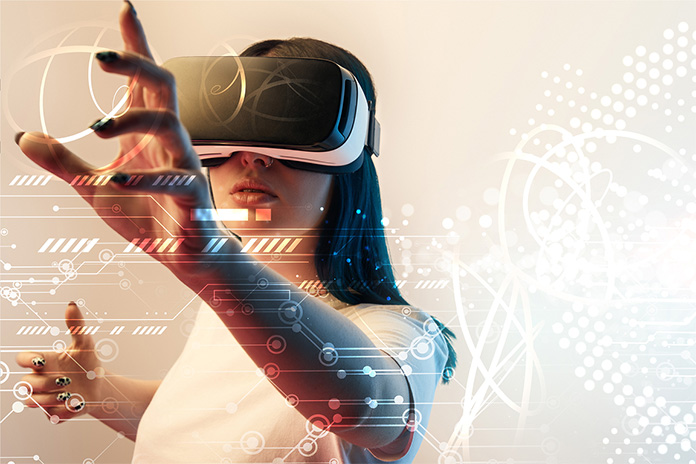
With Augmented Reality and Virtual Reality users are no longer just tapping and scrolling—they’re moving, looking, speaking, and interacting within space itself, creating a true immersive design experience.
This shift is not just technological – it’s conceptual. It forces designers to rethink everything they know about user experience.
Because when the screen disappears, design doesn’t go away—it expands.
AR vs VR: Same Space, Different Realities
Before diving into design, it’s important to understand the distinction:
- AR (Augmented Reality) enhances the real world by overlaying digital elements onto it
- VR (Virtual Reality) replaces the real world entirely with a simulated environment
In AR, your physical surroundings remain the foundation. In VR, the entire environment is designed from scratch using principles of AR VR UX design.
Both demand a completely new approach to UX-one that goes beyond visuals and into spatial interaction and virtual reality interface design.
Why AR/VR UX Is Fundamentally Different
Traditional UX operates in two dimensions. Designers control layouts, grids, and navigation paths within a fixed frame.
AR/VR breaks that frame.
Now, designers must think in terms of:
- Depth and distance
- Scale and proportion
- Movement and orientation
Users are no longer passive viewers—they are active participants. They interact using:
- Gaze (where they look)
- Gestures (hand movements)
- Voice commands
- Physical movement
This creates a richer experience design environment – but also a more complex one. Every interaction must feel natural, intuitive, and responsive in real time.
The Real Challenges of Designing in 3D
- Designing in Space Is Not Easy
Placing elements in a 3D environment is very different from arranging them on a screen.
If something is too far, users may ignore it. Too close, and it becomes uncomfortable. Poor placement can break the entire experience.
Designers must carefully consider:
- Field of view
- Reachability
- Visual hierarchy in 3D space aligned with UI design AR VR principles
- Motion Sickness Is a Design Problem
One of the biggest issues in VR is motion sickness.
It happens when what users see doesn’t match what their body feels. Fast movements, lag, or unnatural transitions can quickly cause discomfort.
Good UX design minimizes this by:
- Ensuring smooth, stable motion
- Avoiding unnecessary camera shifts
- Giving users control over movement
Comfort is not optional – it’s critical.
- Too Much Information, Everywhere
In AR/VR, information isn’t limited to a screen – it can appear all around the user.
While this sounds powerful, it can easily become overwhelming.
Designers must manage cognitive load by:
- Prioritizing essential information
- Avoiding clutter
- Guiding user attention intentionally
Clarity becomes even more important in immersive environments. and aligns with emerging UX trends 2026.
- “What Do I Do Now?” – The Interaction Problem
Without buttons or menus, users can feel lost.
In AR/VR, interactions must be self-explanatory. If users have to think too much about how to interact, the experience breaks.
The goal is to make interactions feel natural – almost instinctive.
Core Principles for Designing AR/VR Experiences
- Design for Space, Not Screens
Everything exists in a spatial context. Objects should behave as they would in the real world—respecting scale, gravity, and perspective.
In AR especially, digital elements must blend seamlessly with physical surroundings.
- Keep It Consistent
Consistency helps users build trust.
If a gesture works one way in one part of the experience, it should work the same way everywhere. Predictable interactions reduce confusion and improve usability.
- Use More Than Just Visual Feedback
In immersive environments, feedback should be multisensory.
- Visual cues confirm actions
- Sounds reinforce interactions
- Haptic feedback adds a sense of touch
These layers strengthen the overall immersive design experience and make the experience feel more real and responsive.
- Let Users Stay in Control
Navigation should feel effortless.
Instead of forcing movement, designers use techniques like:
- Teleportation (jumping between points)
- Gaze-based selection
- Guided pathways
The more control users have, the more comfortable and engaged they feel.
- Less Is More – even in 3D
It’s tempting to fill immersive environments with rich visuals and information—but more is not always better.
Minimalism still applies.
By focusing only on essential elements, designers can create experiences that are clear, usable, and impactful.
Where AR/VR UX Is Making a Real Impact
Education and Training
Imagine learning surgery by practicing in a virtual operating room using advanced AR VR UX design techniques.
AR/VR enables hands-on learning without real-world risks, making complex subjects easier to understand and retain.
Healthcare
From VR therapy for anxiety to AR-assisted surgeries, these technologies are improving both patient care and medical training.
Retail and E-Commerce
Users can now:
- Try furniture in their own homes using AR
- Visualize products before buying
This enhances experience design and reduces uncertainty.
Gaming and Entertainment
Gaming has been the biggest driver of AR/VR adoption. Immersive storytelling and interactive worlds rely heavily on strong UX and virtual reality interface design.
Architecture and Interior Design
Designers can present spaces in fully immersive formats, allowing clients to experience a project before it’s built. This improves communication and reduces costly errors.
What’s Next for AR/VR UX?
The future of AR/VR design is evolving rapidly.
Advancements in hardware—like lighter headsets and better displays—will make these experiences more accessible. At the same time, technologies like artificial intelligence will enable systems to adapt to user behavior in real time.
We’re moving toward experiences that reflect evolving UX trends 2026 – not just immersive, but intelligent and personalized.
Conclusion: Designing for a World Beyond Screens
AR and VR are not just new tools—they represent a new design frontier.
They challenge traditional UX principles and push designers to think in terms of space, movement, and human behavior.
Designing for these environments requires more than technical skill—it demands empathy, spatial awareness, and a deep understanding of how people interact with the world around them.
As these technologies continue to grow, one thing becomes clear:
The future of user experience isn’t on the screen—it’s all around us.